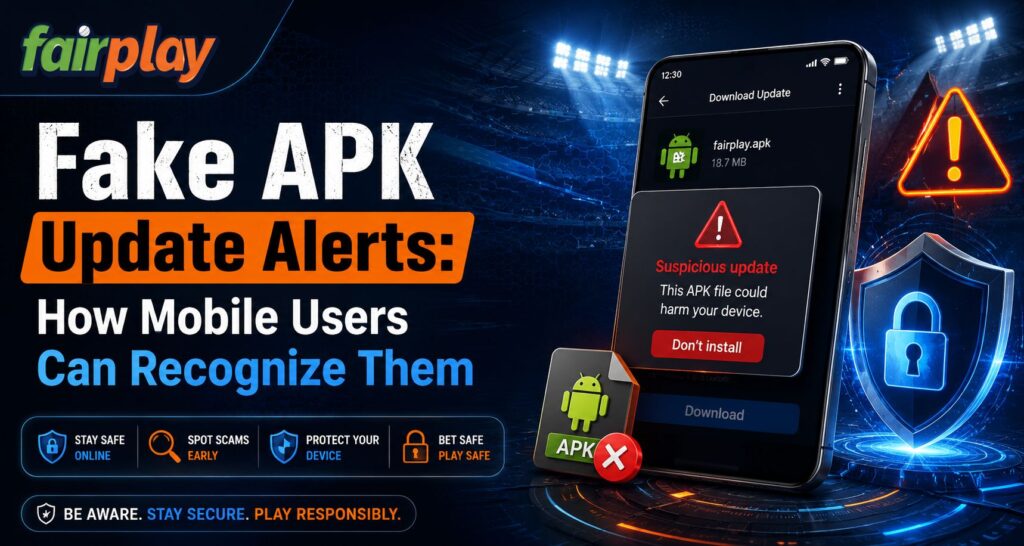
Android users sometimes receive messages claiming that an app is outdated, unsafe or must be updated immediately. These alerts can appear through websites, advertisements, messaging apps or pop-ups. For users accessing Fairplay24, the safest approach is to verify an update independently instead of trusting an unexpected notification. The platform currently advises Android users to obtain APK files only from its official website or a verified support channel.
What Is a Fake APK Update Alert?
A fake APK update alert is a message designed to persuade someone to download an Android installation file from an unverified source.
The message may imitate a genuine app, browser notification or security warning. The key risk is that Android apps installed outside trusted stores are treated as apps from unknown sources, and Android requires users to explicitly allow installation from such sources.
For someone reaching Fairplay24 in Login through a browser, an unexpected “Update Now” button should therefore be treated cautiously until the source has been checked.
1. Check the Website Address Before Downloading
A familiar logo does not prove that a website is genuine.
Fake pages can imitate branding while using a slightly different domain. Before downloading an update, manually inspect the website address and compare it with the recognised service you normally use.
Fairplay24 currently states that Android APK downloads should come from its genuine website rather than random third-party links.
Watch for:
- Misspelled domains
- Extra words or characters
- Shortened links
- Unfamiliar download pages
- Links forwarded through unknown accounts
Fairplay24 App users should avoid downloading an APK simply because a message uses the correct brand name.
2. Be Suspicious of Urgent Security Language
Fake update alerts often try to create urgency.
A message might claim:
- “Update immediately or your account will be blocked”
- “Your app has expired”
- “Security risk detected”
- “Install this APK to continue”
- “New mandatory version available now”
Urgency alone does not prove fraud, but it should encourage verification before action.
Users searching Fairplay24 in Login should open the recognised website independently instead of allowing a pop-up to decide where the APK comes from.
3. Do Not Disable Play Protect Just Because a Pop-Up Says So
Google Play Protect checks apps when they are installed and periodically scans devices for potentially harmful applications. Google recommends keeping Play Protect enabled. It can warn users about unsafe apps, disable them or remove them in some situations.
If an update instruction tells you to permanently disable Play Protect before installation, treat that as a serious warning sign.
For Fairplay24 Com users, a safer process is to keep Android security protections active and investigate why an APK is triggering a warning.
4. Check Who Is Asking to Install Unknown Apps
Android does not allow unknown-source installation automatically. Users must grant permission to a specific source, such as a browser or file manager, before that source can install an APK.
This permission should not be enabled casually.
Before allowing it, ask:
- Did I intentionally begin this download?
- Do I recognise the website?
- Is this the app I expected?
- Did an advertisement redirect me here?
- Does the file name look unusual?
Fairplay24 App users should grant installation permission only when they deliberately started a verified APK download.
5. Watch for Unexpected Permission Requests
After installation, a fake or modified APK may request permissions that do not make sense for its purpose.
Android’s permission system controls access to sensitive device information and capabilities, and developers are encouraged to minimise unnecessary permission requests.
Be cautious if an update suddenly asks for broad access to:
- SMS messages
- Contacts
- Microphone
- Location
- Photos and files
- Other sensitive device features
An update should not automatically receive every permission simply because the previous version was trusted.
6. Compare the Update With the Official Source
Before replacing an installed application, check whether the recognised website actually announces or provides the newer APK.
Fairplay24 currently offers its Android download through the website’s dedicated app-download process.
For Fairplay24 Com users, this means a random social-media message claiming to contain a “special latest version” should not be treated as authoritative.
If the official source shows no corresponding update, avoid installing the file until its legitimacy is confirmed.
7. Do Not Trust an APK Only Because It Installs Successfully
Android requiring an APK to install does not guarantee that the application is trustworthy.
Google Play Protect can scan apps from outside Google Play and may request that unknown apps be submitted for additional analysis.
Successful installation therefore answers only one question: the device accepted the package.
It does not prove that:
- The APK came from the official developer
- The file has not been modified
- The app is harmless
- The update notification was genuine
What to Do If You Already Installed a Suspicious APK
If an unexpected update has already been installed, avoid entering account credentials until you have checked the application.
Useful steps include:
- Run Google Play Protect.
- Review the app’s permissions.
- Remove unfamiliar permissions.
- Uninstall the suspicious application if necessary.
- Change important passwords if credentials were entered.
- Review account activity for anything unfamiliar.
- Reinstall only from the verified source.
Google states that Play Protect can identify potentially harmful apps and may recommend removal or take protective action automatically.
Conclusion
Fake APK update alerts work by making users react before verifying the source. Urgent wording, unfamiliar download pages, requests to disable security tools and unexpected permissions should all encourage extra caution.
For Fairplay users, the safest approach is to obtain Android files through the recognised website or verified support channel, keep Play Protect enabled and review permissions carefully.
A legitimate-looking alert should never be treated as proof that an APK is authentic.
FAQs
How can I tell if an APK update alert is fake?
Check the domain, download source, wording and requested permissions. Unexpected links, urgent threats and instructions to disable security protections are important warning signs.
Should I install an APK sent through WhatsApp or Telegram?
Avoid installing APKs from unsolicited messages. Use the recognised website or verified distribution source instead.
Should I turn off Google Play Protect to install an update?
Google recommends keeping Play Protect enabled because it scans applications for potentially harmful behaviour.
Why does Android ask me to allow installation from an unknown source?
Android blocks apps from outside trusted stores until the user explicitly authorises the source performing the installation.
What should Fairplay24 in Login users do after seeing a suspicious update alert?
Do not use the alert’s link. Open the recognised website independently, verify whether an update is actually available and download only through the authorised source.