Finding the correct website is essential before creating an account, entering login details, or contacting support. Search results, social posts, and forwarded messages can sometimes lead users to pages that copy a brand’s name or visual style. The official Fairplay24 website uses the domain Fairplay24, so users should check the complete address before sharing personal or payment information.
Why Website Verification Matters
A copied website can look convincing. It may use familiar colours, logos, sports images, and account buttons, but its purpose may be to collect usernames, passwords, OTPs, or banking details. Fake pages may also imitate support profiles and pressure users to make an immediate payment.
Checking the website first can help users:
- Protect account credentials
- Avoid unofficial payment instructions
- Reduce the risk of document misuse
- Reach genuine registration and support information
- Confirm current terms and privacy information
- Avoid downloads from unknown sources
Website verification should happen before every sensitive action, not only during the first visit.
Check the Full Domain Name Carefully
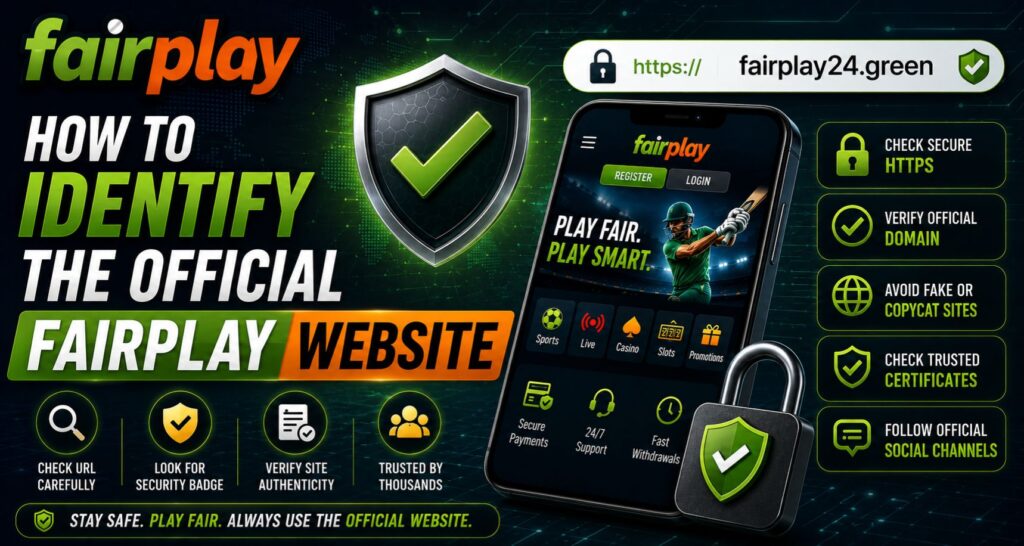
The clearest identifying detail is the domain shown in the browser’s address bar. The current official website domain is Fairplay24. Its navigation connects users with published sign-up, login, blog, terms, app, and support information.
Read the domain from beginning to end. A misleading address may include an extra letter, number, hyphen, word, or different ending. A copied page might also place the brand name inside a longer address controlled by another website.
Before continuing, confirm that:
- The domain is spelled exactly
- There are no unusual added words
- The connection uses HTTPS
- The browser shows no security warning
- Internal links remain on the expected domain
- The page is not an advertisement pretending to be the homepage
The padlock or HTTPS connection is useful, but it does not prove ownership. Fake websites can also use encryption. The exact domain remains the more important check.
Use Site Navigation as a Trust Signal
A genuine website normally offers more than one login or payment screen. It should provide organised information about registration, policies, support, and responsible account use.
The official site includes registration, terms and conditions, app information, blog content, and account assistance. Its terms warn users not to share passwords, UPI PINs, banking PINs, OTPs, card security codes, or complete payment credentials.
Be cautious when a page:
- Opens directly to a payment request
- Has no policy or contact pages
- Contains broken navigation
- Requests confidential credentials
- Redirects to unrelated domains
- Uses inconsistent support details
A polished design alone is not proof. Clear policies and consistent navigation are stronger signals.
Verify the Fairplay24 Sign-up Page
Users should begin the Fairplay24 Sign-up process from the homepage rather than an unknown advertisement, comment, or forwarded link. The official registration page says users can create an account with basic details and access the platform from mobile or desktop devices.
Before submitting a form, review the address again. Provide only information reasonably required for registration, and never send a password or banking PIN to someone claiming it is needed for activation.
During Fairplay24 Sign-up, save the official domain as a browser bookmark. This creates a reliable route for future visits and reduces dependence on search results or third-party messages.
Confirm the Login Route
People searching for Fairplay24 in Login help may see several similarly named pages. Instead of trusting a headline or sponsored result, open the known homepage manually and follow its internal account-access route.
Use this checklist:
- Type the official domain directly
- Check the address before entering a username
- Avoid links sent by unknown contacts
- Do not save credentials on shared devices
- Close pages with unexpected redirects
- Change the password after suspected exposure
When Fairplay24 in Login access fails, contact the support channel published on the official website. Never hand over a password, OTP, or screen-sharing control to a stranger.
Check Support Links Before Chatting
Fake support profiles often use copied logos and similar usernames. Some promise faster activation, special offers, or immediate withdrawals to create urgency. A profile picture and brand name do not prove that an account is genuine.
The official site publishes WhatsApp and Telegram assistance for registration, activation, login, and account questions. Reach those channels through links displayed on the website instead of searching for random profiles inside messaging apps.
When speaking with support:
- Share only the minimum details needed
- Hide sensitive information in screenshots
- Keep transaction references
- Refuse requests for passwords, OTPs, or PINs
- Stop if payment instructions suddenly change
- Recheck the website before following another link
Request a Cricket ID Through Verified Channels
A Fairplay24 Online Cricket ID should be requested only through the route described on the verified website. Before accepting credentials or sending funds, confirm the account instructions, current conditions, and support contact.
After receiving a Fairplay24 Online Cricket ID, keep the username and password private. Do not share the account with friends, agents, or anyone claiming they can manage it. Shared access makes suspicious activity harder to identify and may create security problems.
Recognise Signs of a Fake Website
Suspicious websites often reveal themselves through several small warning signs. Stop and verify the page when you notice:
- A slightly altered domain
- Low-quality copied graphics
- Pressure to act within minutes
- Guaranteed profit claims
- Requests to install an unknown APK
- Different support numbers across pages
- Missing policy information
- Payment instructions from an unrelated account
- Requests for remote device access
Fairplay users should also be cautious with shortened links posted on social media. Open the official site independently instead of relying on the shortened address.
What to Do After Visiting a Suspicious Page
The next steps depend on what information was entered or downloaded. When necessary:
- Close the page.
- Change the password through the verified site.
- Update other accounts using the same password.
- Review recent activity and transactions.
- Remove unfamiliar downloads or extensions.
- Run a trusted security scan.
- Contact verified support.
- Inform the payment provider if financial details were exposed.
Keep screenshots of the fake page, message, profile, and address for reporting. Do not continue communicating with the sender.
Build a Safer Routine
Bookmark the official homepage, keep the browser updated, and avoid account access through public Wi-Fi. Check the domain whenever a page opens from a saved message because links can redirect.
Fairplay customers should treat unexpected urgency as a warning. Genuine decisions can wait long enough for the user to verify a domain, read the conditions, and use the published support channel.
Conclusion
The safest way to identify the genuine platform is to check the complete domain before registration, login, payment, app download, or support contact. The official Fairplay24 website is Fairplay24, and users should reach account pages and communication channels from that domain rather than through unknown advertisements or forwarded links.
A few seconds spent checking an address can prevent larger account and payment problems. Use the verified website, protect private credentials, and pause whenever a page or support profile asks for information it should not need.